What Is Nginx and Why Do We Use It?
If you open the HTTP response headers of a random website, there is a good chance you will see
Server: nginx. Nginx (pronounced "engine-x") sits in front of a huge share of the web. This
post explains what it is, what problems it solves and why it is usually the first thing a request
hits in a production stack.
Nginx in one sentence
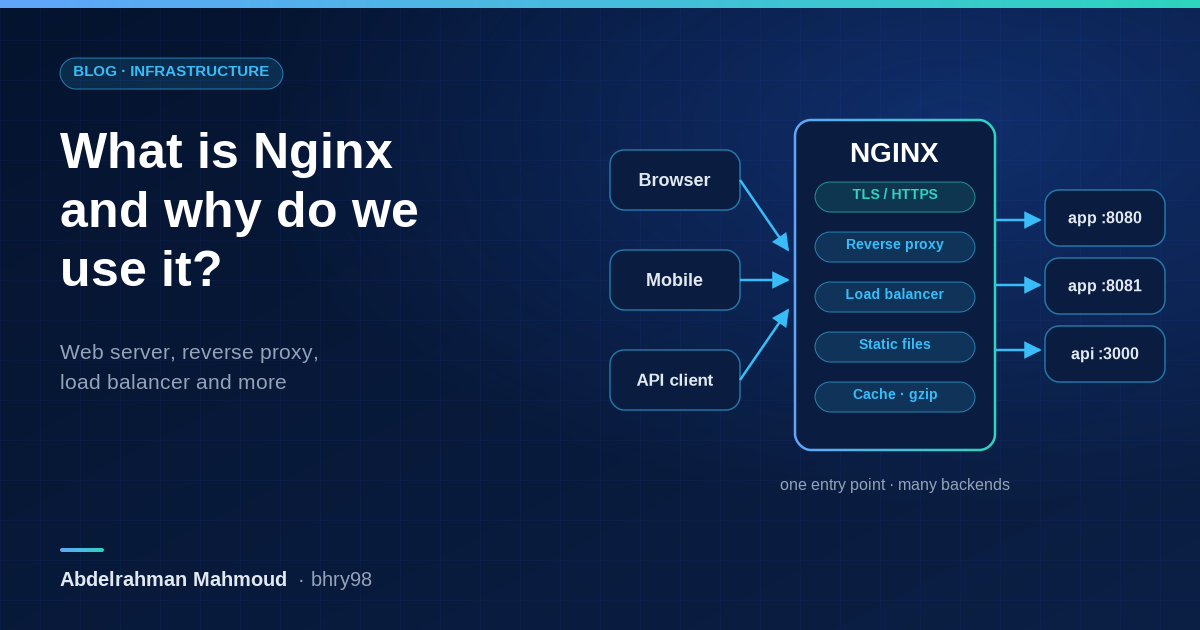
Nginx is a small, fast, event-driven server that accepts HTTP(S) connections and decides what to do with them: serve a file, pass the request to an application, spread it across several servers, cache the answer, or reject it.
It was written by Igor Sysoev in 2004 to solve the C10k problem: how to handle ten thousand concurrent connections on a single machine. Today it comes in two flavours:
| Edition | Licence | Notes |
|---|---|---|
| Nginx Open Source (nginx.org) | BSD-2 | What this blog and most companies use |
| NGINX Plus (F5) | Commercial | Adds active health checks, a live dashboard, JWT auth, support |
Why it is so fast: event-driven, not thread-per-request
Classic servers such as Apache (prefork / worker MPM) dedicate a process or thread to each connection. Ten thousand slow mobile clients means ten thousand threads, each with its own memory.
Nginx starts one worker process per CPU core. Each worker runs an event loop that handles thousands of connections at once, without blocking on any single one.
flowchart LR
    M[Master process<br/>reads config, manages workers] --> W1[Worker 1<br/>event loop]
    M --> W2[Worker 2<br/>event loop]
    M --> W3[Worker N<br/>event loop]
    C1((client)) & C2((client)) & C3((client)) --> W1
    C4((client)) & C5((client)) --> W2
The practical result: low, predictable memory use and stable latency under heavy load.
The six jobs Nginx does for you
1. Web server for static files
HTML, CSS, JavaScript, images, a React or Angular build: Nginx serves them straight from disk,
with sendfile, compression and caching headers.
2. Reverse proxy
Your Spring Boot, Node.js or Laravel app listens on localhost:8080. Nginx listens on 80/443
and forwards requests to it. The app never faces the internet directly.
location /api/ {
    proxy_pass http://127.0.0.1:8080;
    proxy_set_header Host $host;
    proxy_set_header X-Forwarded-For $proxy_add_x_forwarded_for;
}
A forward proxy acts on behalf of clients (a corporate proxy that browsers go through). A reverse proxy acts on behalf of servers. Nginx is almost always used as the second.
3. Load balancer
Run three copies of your app and let Nginx spread the traffic. If one copy dies, Nginx stops sending it requests.
upstream orders_api {
    least_conn;
    server 10.0.0.11:8080;
    server 10.0.0.12:8080;
    server 10.0.0.13:8080 backup;
}
4. TLS (HTTPS) termination
Nginx holds the certificate, speaks HTTPS and HTTP/2 (or HTTP/3) with browsers, and talks plain HTTP to the apps on the private network. Certificates live in one place instead of every app.
5. Cache and compression
Nginx can cache responses from slow backends (proxy_cache) and gzip text responses, which cuts
both latency and backend load.
6. Security gate
Rate limiting, request size limits, IP allow-lists, basic auth, hiding internal headers and
blocking paths such as /actuator from the outside: all before a request reaches your code.
limit_req_zone $binary_remote_addr zone=login:10m rate=5r/s;

location = /login {
    limit_req zone=login burst=10 nodelay;
    proxy_pass http://orders_api;
}
Where Nginx sits in a real architecture
flowchart LR
    U[Users] -->|HTTPS 443| N[Nginx<br/>TLS, routing, cache]
    N -->|/| FE[Static Angular build]
    N -->|/api| A1[Spring Boot #1]
    N -->|/api| A2[Spring Boot #2]
    N -->|/auth| K[Keycloak]
    A1 & A2 --> DB[(PostgreSQL)]
One public entry point, one certificate, many private services behind it. Kubernetes and OpenShift follow the same idea: the ingress controller (often Nginx itself, or HAProxy on OpenShift) plays this role for the whole cluster.
Nginx vs Apache vs HAProxy vs Traefik
| Nginx | Apache httpd | HAProxy | Traefik | |
|---|---|---|---|---|
| Main strength | Web server + reverse proxy | Flexible web server, modules | Pure load balancing (L4/L7) | Auto-config for containers |
| Architecture | Event-driven | Process/thread (event MPM available) | Event-driven | Event-driven (Go) |
| Static files | Excellent | Good | No | Basic |
.htaccess per directory |
No | Yes | No | No |
| Config reload | Graceful, no dropped connections | Graceful | Hitless reload | Dynamic, no reload |
| Typical use | Front door for web apps and APIs | PHP shared hosting, legacy | High-traffic TCP/HTTP balancing | Docker / Kubernetes labels |
My rule of thumb: Nginx when you need a web server and reverse proxy in one; HAProxy when you only need serious load balancing; Traefik when everything is in Docker and you want routes created from labels.
Common misconceptions
- "Nginx runs my application." It doesn't run Java or Node.js code. It forwards requests to them. (For PHP it talks to PHP-FPM over FastCGI.)
- "One Nginx is high availability." A single Nginx is a single point of failure. You need two plus a floating IP; see the HA guide below.
- "Nginx replaces my API gateway." It covers routing, TLS and rate limits. Full API management (developer portal, subscriptions, analytics) is a different product such as IBM API Connect or Kong.
Takeaway
Nginx is the front door of your system: it accepts every connection, terminates TLS, protects and routes traffic, and lets your applications focus on business logic. It is fast because it is event-driven, and popular because one small config file replaces a lot of custom code.
Ready to try it?
- How to install Nginx on Ubuntu, RHEL, Docker or Windows
- How to configure Nginx as a reverse proxy, load balancer and HA pair
- Related: Containers vs traditional deployment