What Does LTS Mean? Long-Term Support Explained
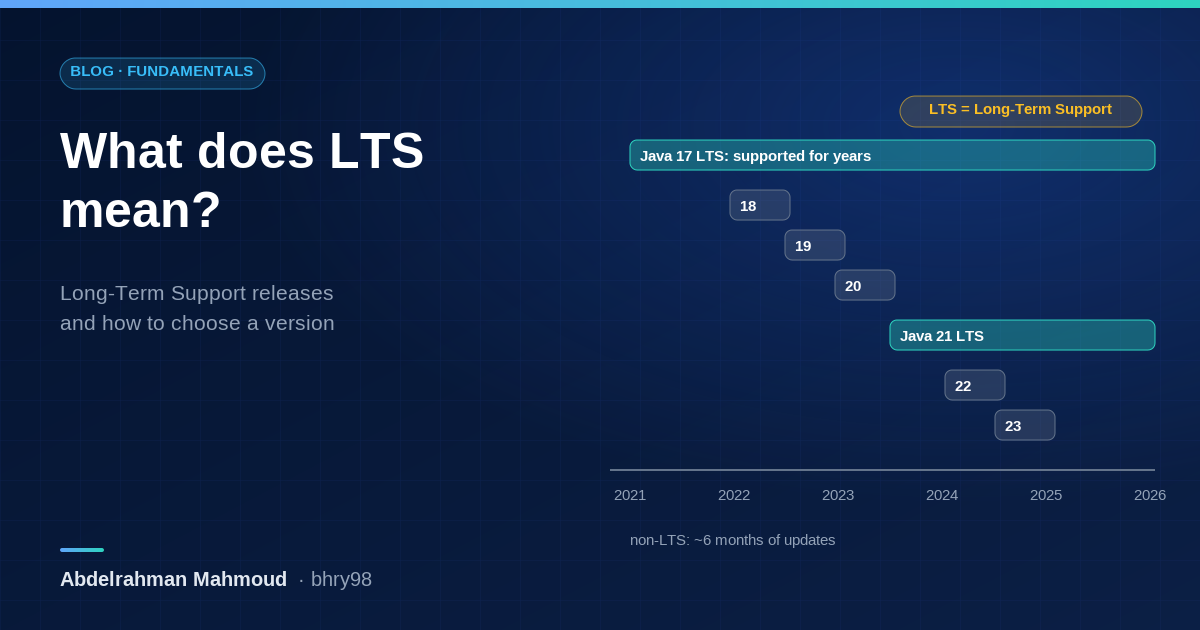
You go to download Java, Node.js or Ubuntu and there are two big buttons: one says LTS, the other has a higher version number. Which one should you pick? This post explains what LTS means, why it exists, and how to choose a version for production systems.
LTS in one sentence
LTS (Long-Term Support) is a release that the vendor promises to maintain with security and bug fixes for a long, published period (usually years), without adding breaking changes.
Regular releases (often called feature, current, interim or mainline) get new features first, but are only supported until the next release comes out, often just a few months later.
Why LTS exists
Upgrading software in a company is expensive: test, certify, schedule downtime, update documentation, retrain people. Banks, governments and hospitals can't do that every six months.
LTS gives them a deal: "Stay on this version for years. We'll keep it secure and stable. You upgrade when you're ready, from one LTS to the next."
timeline
    title Java: LTS vs feature releases
    2021 : Java 17 LTS
    2022 : Java 18 : Java 19
    2023 : Java 20 : Java 21 LTS
    2024 : Java 22 : Java 23
    2025 : Java 24 : Java 25 LTS
LTS vs non-LTS
| LTS release | Regular / feature release | |
|---|---|---|
| Support period | Years (2 to 10+) | Until the next release (weeks to months) |
| Updates | Security and bug fixes only | New features + fixes |
| Stability | High, battle-tested | Newest, less proven |
| Upgrade pressure | Low | Must upgrade often to stay supported |
| Vendor/tool certification | Usually certified | Often not |
| Best for | Production, enterprise | Trying new features, dev, hobby projects |
Real-world examples
| Product | LTS scheme | Examples |
|---|---|---|
| Java (OpenJDK) | A feature release every 6 months; every 2 years one is LTS | 8, 11, 17, 21, 25 are LTS; 22, 23, 24 are not |
| Ubuntu | Every 2 years in April (YY.04); 5 years standard support, up to 12 with Ubuntu Pro |
22.04 LTS, 24.04 LTS; 24.10 and 25.04 are interim (9 months) |
| Node.js | Even major versions become LTS; odd ones never do | 20, 22, 24 LTS; 23 and 25 are "Current" only |
| Windows Server | LTSC (Long-Term Servicing Channel): 5 years mainstream + 5 extended | Windows Server 2022, Windows Server 2025 |
| RHEL | Each major version supported for ~10 years | RHEL 8, RHEL 9, RHEL 10 |
| Nginx | Stable (even minor) vs mainline (odd minor): same idea, different name | 1.28 stable, 1.29 mainline |
| Kubernetes | No LTS: each minor version supported ~14 months; vendors (OpenShift EUS, AKS LTS) add longer support | OpenShift EUS releases (even minors) |
| Spring Boot | No "LTS" label: open-source support ~13 months per minor; commercial support longer | Plan regular minor upgrades |
Always check the date, not just the label
"LTS" doesn't mean forever. Java 8 and Ubuntu 18.04 were LTS too, and now they are past their free support. Look up the end-of-life (EOL) date. https://endoflife.date is a great one-stop reference.
Support phases you will see
Many vendors split LTS into phases:
- Active / mainstream support: bug fixes, security fixes, sometimes small improvements.
- Maintenance / extended support: critical security fixes only, sometimes paid.
- End of life (EOL): no more fixes. Running it means accepting known, unpatched vulnerabilities, and usually failing security audits.
How I choose a version for production
- Default to the latest LTS that your frameworks and tools support (e.g. Java 21 or 25 with Spring Boot 3.x, Node.js 22/24, Ubuntu 24.04, RHEL 9/10, Windows Server 2025).
- Check the ecosystem. Is your app server, database driver, monitoring agent or vendor product certified on it?
- Avoid a brand-new LTS on day one for critical systems; wait for the first few patch releases.
- Plan the next upgrade now. Put the EOL date in the team calendar and upgrade one LTS to the next well before it.
- Keep patching inside the LTS. LTS isn't "install and forget": apply its updates
(
21.0.4 → 21.0.9) regularly; that's the whole point.
Use non-LTS releases for learning, side projects, or when you truly need a new feature and can commit to upgrading every few months.
Takeaway
LTS is a promise of stability and security for a known period. For anything that runs your business, pick the current LTS, keep it patched, and know its end-of-life date.
Related reading:
- JDK vs JRE vs JVM: which Java to install, and why LTS matters there
- How to install Nginx: choosing between stable and mainline
- Secure Active Directory with LDAPS on Windows Server 2025: an LTSC release in action