What Is S3 Storage? S3 vs Local Storage for Your Applications
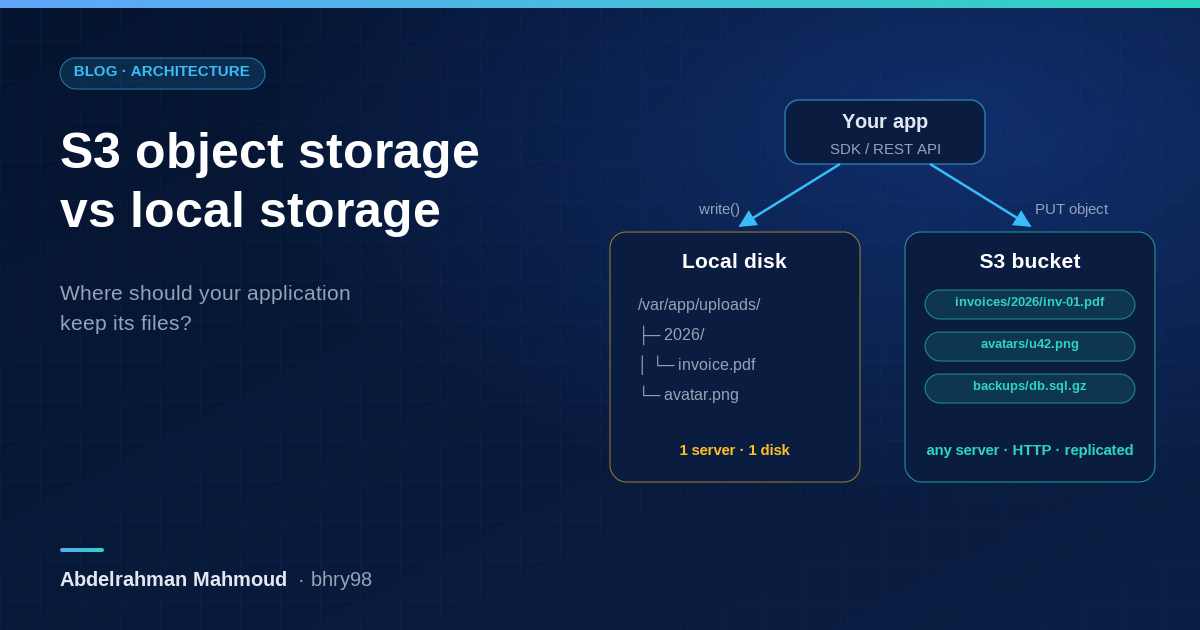
Your application lets users upload invoices and profile pictures. The easy solution is to save them
in a folder like /var/app/uploads. It works perfectly, until you add a second server, move to
containers, or lose the disk. This post explains S3 object storage, how it differs from local
storage, and how to choose.
What is S3?
Amazon S3 (Simple Storage Service) launched in 2006 as a service to store files over HTTP. Its API became so popular that "S3" now also means a protocol: dozens of products, cloud and on-premises, speak the same S3 API. Your code doesn't care whether it talks to AWS, MinIO in your data centre, or Ceph on OpenShift.
S3 is object storage:
| Term | Meaning | Example |
|---|---|---|
| Bucket | A top-level container with its own permissions and settings | orders-documents |
| Object | A file plus its metadata, stored as one unit | the PDF bytes + Content-Type: application/pdf |
| Key | The object's unique name inside the bucket | invoices/2026/11/inv-1042.pdf |
| Metadata | Key/value info attached to an object | x-amz-meta-customer-id: 42 |
There are no real folders: invoices/2026/ is just a key prefix that consoles display as a folder.
You don't open, seek and append to objects like files; you PUT a whole object, GET it back,
or DELETE it, over HTTPS.
aws s3 mb s3://orders-documents
aws s3 cp inv-1042.pdf s3://orders-documents/invoices/2026/11/inv-1042.pdf
aws s3 ls s3://orders-documents/invoices/2026/11/
The three kinds of storage
| Block storage | File storage | Object storage (S3) | |
|---|---|---|---|
| Looks like | A raw disk (/dev/sdb) |
A shared folder (NFS, SMB) | Buckets of objects over HTTP |
| Examples | Local SSD, SAN, AWS EBS, VMware VMDK | NFS, Windows file share, AWS EFS | AWS S3, MinIO, Ceph RGW, Azure Blob* |
| Access | One server at a time (mounted) | Many servers via a mount | Any client, anywhere, via API |
| Edit part of a file | Yes | Yes | No, replace the whole object |
| Scale | One volume's size | One file server/cluster | Practically unlimited |
| Best for | Databases, OS disks | Legacy apps sharing files | Uploads, backups, media, logs, data lakes |
*Azure Blob and Google Cloud Storage have their own APIs, with S3-compatible options/gateways.
Local storage vs S3 for your application
Local storage (disk on the app server)
- Simple, fast, no extra service, works offline.
- Tied to one server. Add a second instance behind a load balancer and half of
the users get
404for files saved on the other node. - Containers lose it. A pod's filesystem disappears on restart unless you add a
persistent volume, and a
ReadWriteOncevolume blocks scaling to many replicas. - Backup, replication, encryption and lifecycle are your job.
- The disk fills up at 3 a.m.
S3 object storage
s3.putObject(PutObjectRequest.builder()
        .bucket("orders-documents")
        .key("invoices/2026/11/inv-1042.pdf")
        .contentType("application/pdf")
        .build(),
    RequestBody.fromInputStream(upload.getInputStream(), upload.getSize()));
- Stateless apps. Any instance can read any file, so you can scale horizontally and restart pods freely. This is exactly what containers and Kubernetes need.
- Durability. Data is replicated across disks/servers/zones (AWS advertises 99.999999999% durability).
- Built-in features: versioning, encryption at rest, lifecycle rules (move to cheaper storage, delete after N days), object lock for compliance, replication between sites.
- Pre-signed URLs: let browsers upload/download directly with a time-limited link, so big files never pass through your app server.
- Network latency on every access; not suitable for random-access workloads like databases.
- No partial updates or file locking; "rename" is copy + delete.
- Costs: storage, requests and especially egress (data out) in public clouds.
Side-by-side
| Question | Local disk | S3 |
|---|---|---|
| Multiple app instances share files? | No (needs NFS) | Yes |
| Survives server/pod loss? | Only with backups/RAID | Yes, replicated |
| Max capacity | Disk size | Practically unlimited |
| Latency | Microseconds | Milliseconds |
| Serve files directly to users | Through your app or Nginx | Pre-signed URL / CDN |
| Versioning & retention | DIY | Built in |
| Running cost | Hardware you already have | Per GB + requests (+ egress) |
| Good for | Temp files, caches, single-server apps, databases | User uploads, documents, media, backups, logs, exports |
S3-compatible products
| Product | Where it runs | Notes |
|---|---|---|
| AWS S3 | AWS | The original; storage classes from Standard to Glacier Deep Archive |
| MinIO | Anywhere (binary, Docker, Kubernetes) | Very popular for on-prem and dev environments |
| Ceph RGW | On-prem clusters | Also provides block and file storage |
| OpenShift Data Foundation | OpenShift | Ceph + NooBaa, gives buckets via ObjectBucketClaim |
| Cloudflare R2, Wasabi, Backblaze B2 | Cloud | S3 API, low or zero egress fees |
| Google Cloud Storage / Azure Blob | GCP / Azure | Native APIs; S3 interoperability options |
Try it locally in one command:
docker run -d --name minio -p 9000:9000 -p 9001:9001 \
  -e MINIO_ROOT_USER=admin -e MINIO_ROOT_PASSWORD=change-me-please \
  quay.io/minio/minio server /data --console-address ":9001"
Open http://localhost:9001, create a bucket, and point your app's S3 client at
http://localhost:9000 with path-style access enabled.
Good practices
- Store the key in your database, not the file. Keep
invoices/2026/11/inv-1042.pdfin theinvoicetable; never put binary files in the DB. - Keep buckets private. Serve downloads with short-lived pre-signed URLs or through a CDN, never by making the bucket public.
- Use least-privilege credentials per application (one bucket, only the actions it needs), and IAM roles / workload identity instead of static keys where possible.
- Turn on versioning and lifecycle rules for important data, plus encryption at rest.
- Make the endpoint configurable (
S3_ENDPOINT,S3_BUCKET), so the same code works with MinIO in dev and AWS or Ceph in production.
When local storage is still right
- Databases, message brokers and search indexes (they need block storage).
- Temporary processing files you delete after the request.
- A single-server internal tool with a solid backup.
- Caches that can be rebuilt.
Takeaway
Local disk is a place on one server; S3 is a service any server can reach. If your application keeps user files and you ever want more than one instance, containers, or real durability, put those files in S3-compatible object storage and keep only temporary data locally.
Related: Containers vs traditional deployment · What is Nginx? (it can proxy and cache S3/MinIO downloads too)